
By default, when you create a WordPress site with Copilhost, automated backups are scheduled every week at the server level.
You don’t have to set anything up; you will automatically have access to backups from the last 8 weeks.
How to access backup options:
- Go to the main "Sites" tab.
- Click the "Manage" button on the site you wish to access.
- Select the "Security" tab from the menu.
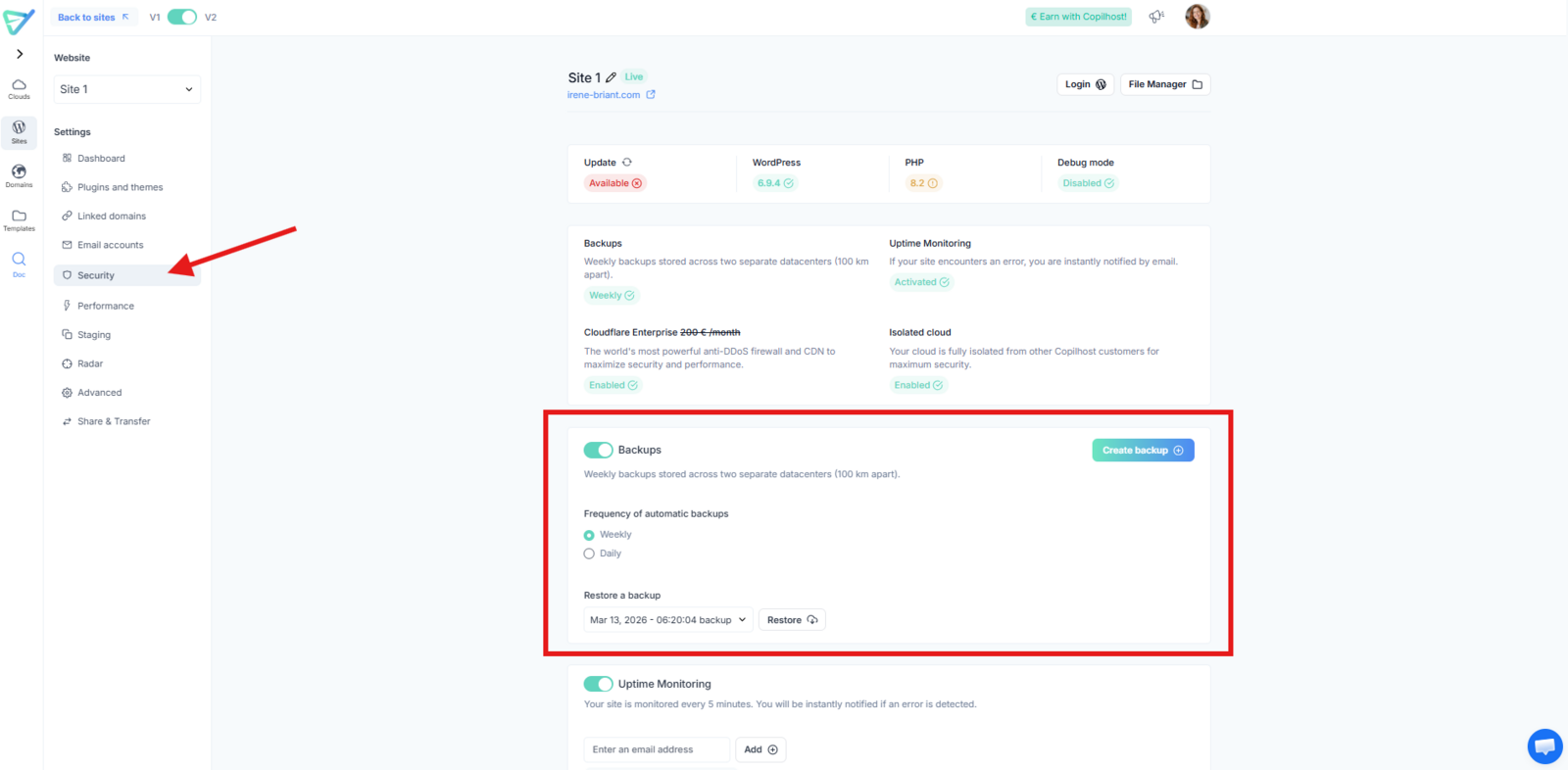
Changing backup frequency
If needed, you can switch to Daily Backups by selecting the "Daily" option.
- Weekly schedule: Keeps the last 8 backups.
- Daily schedule: Keeps the last 21 backups (giving you access to a full 21-day history).
Restoring a backup
If an issue occurs, you can easily restore your site to a previous state:
- Select the date of the backup you wish to use.
- Click the "Restore" button located to the right of the selected backup.
⚠️ Resource Usage Note: Please be aware that backups consume storage and processing resources on your hosting plan.
We recommend only selecting the Daily option if it is strictly necessary for your project.