
If you encounter an issue on your website, run the AI Radar to identify the source of the problem and get step-by-step guidance on how to fix it.
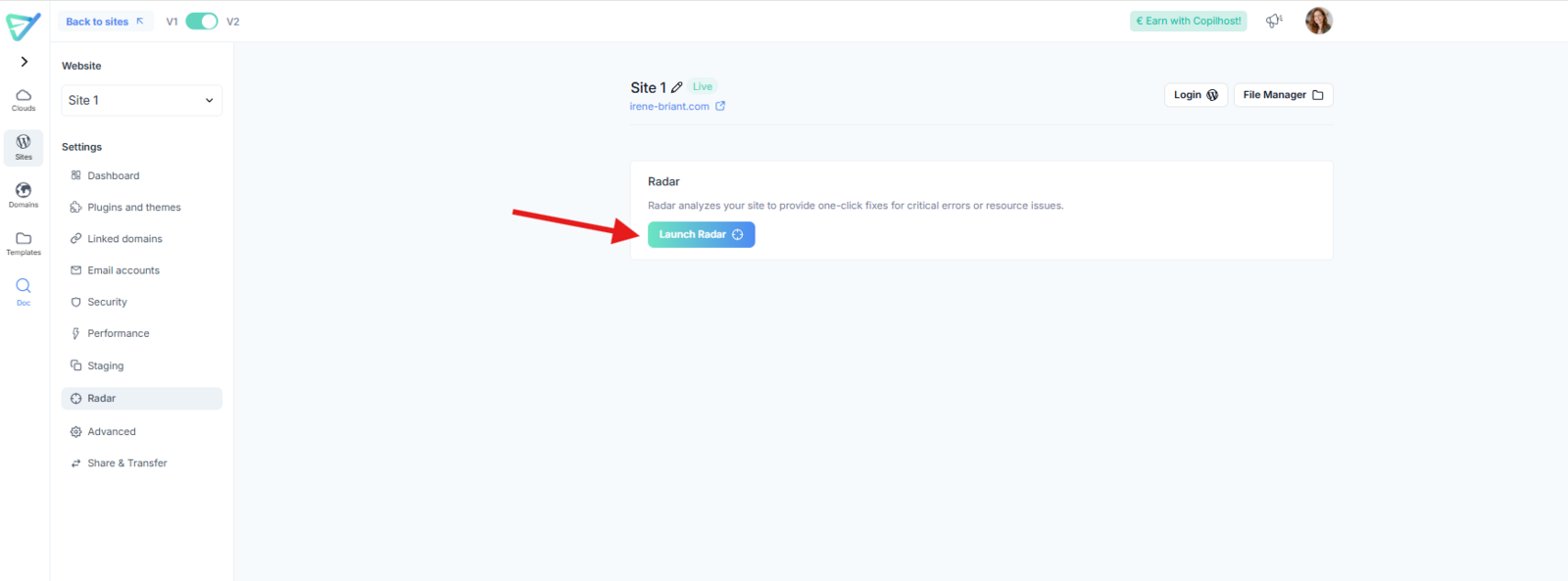
To start, go to the "Radar" tab of your site settings and click "Launch Radar":
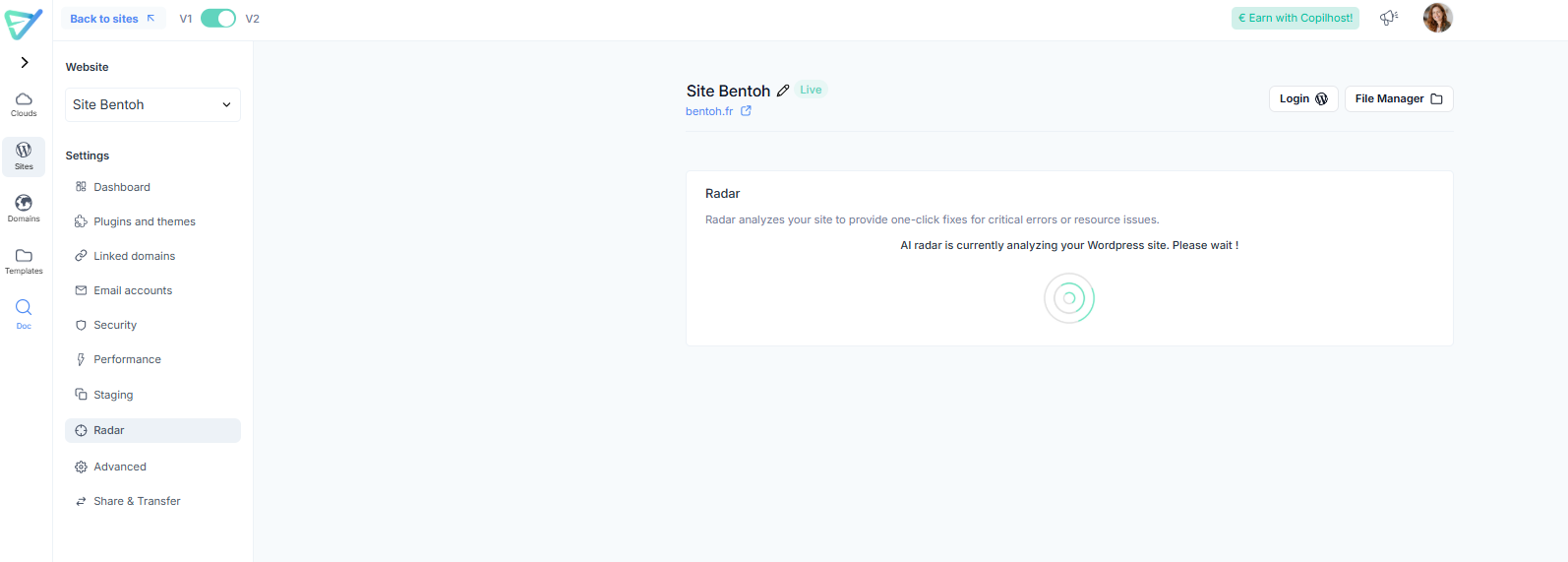
The scan will take only a few seconds to complete.
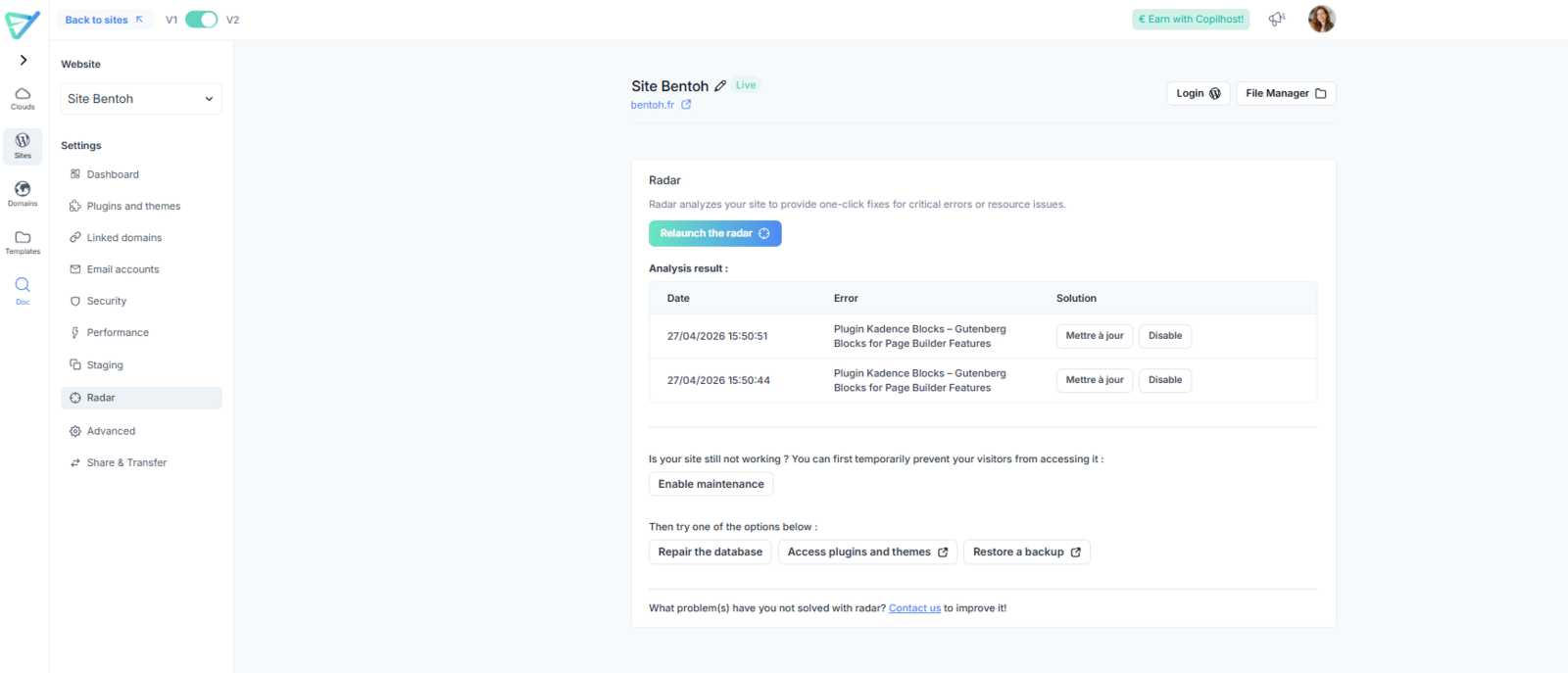
Once the analysis is finished, the AI Radar will share its findings and provide a list of specific actions to resolve the issue.
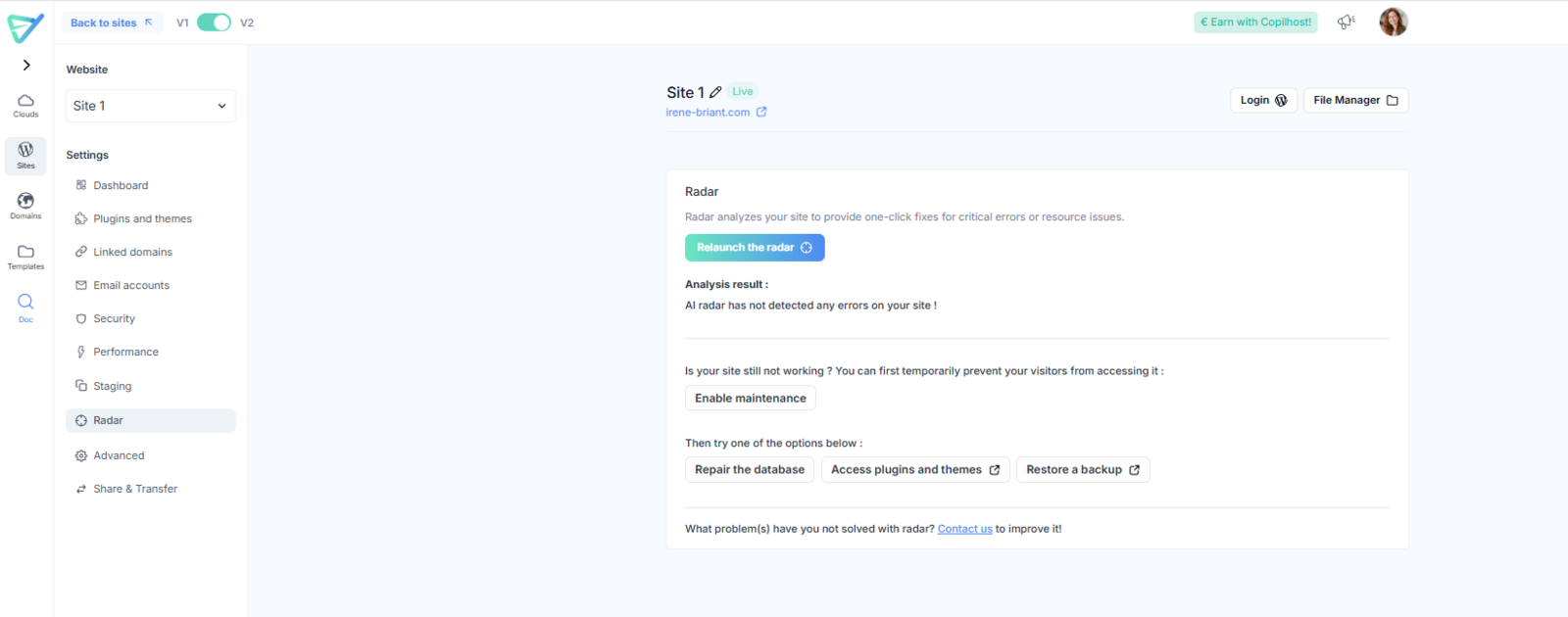
What if no anomaly is found?
If the Radar doesn't detect a specific error, it will still suggest several key troubleshooting steps that often resolve common website issues:
If your problem persists after following all the suggested steps, please let us know via the support form in your Copanel.
Your feedback helps us train and improve the AI Radar every day! 😊